← Back to supplement registration
iHerb
Bulk Register from Order
Copy and paste your iHerb order to register multiple supplements at once.
1
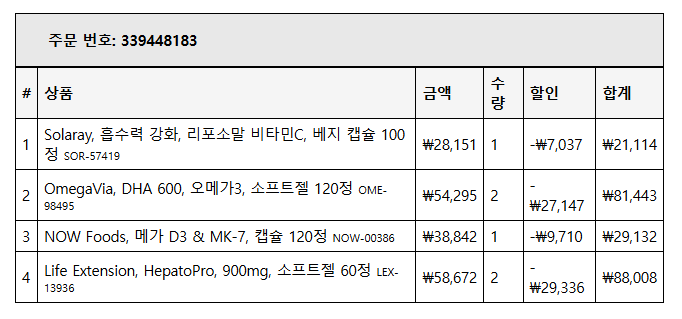
Select your product list on iHerb
Drag to select all products below the order number.
2
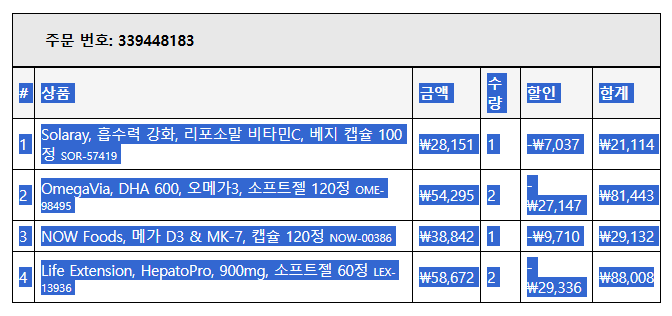
Select all and copy (Ctrl+C)
With everything highlighted in blue, press Ctrl+C (Mac: Cmd+C) to copy.
3
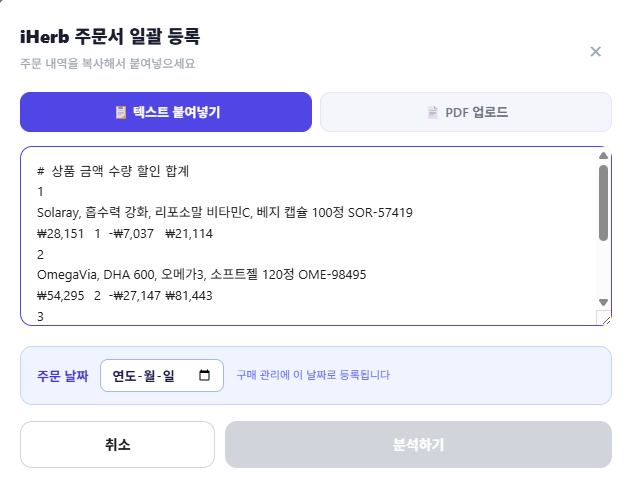
Paste into the modal with Ctrl+V
Click "Bulk Register from iHerb Order" in RozinMatch, then paste (Ctrl+V) into the text area.
4
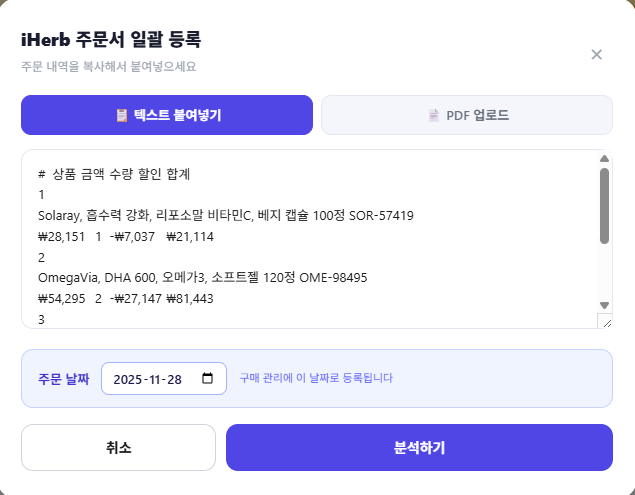
Enter order date and click Analyze
Enter the order date to activate the "Analyze" button, then click it.
5
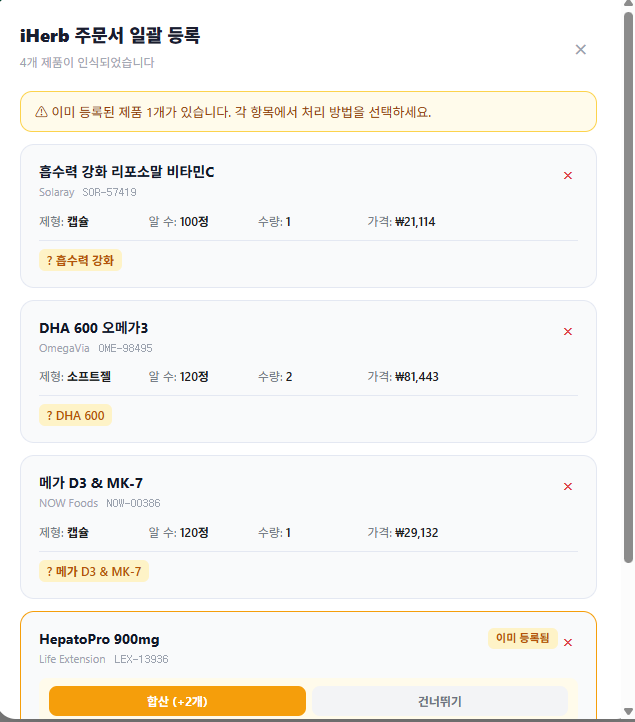
Review products and handle duplicates
Parsed products appear. For already-registered items, choose "Add" or "Skip". If iHerb split your order into separate boxes on the same date, choose "Add".
6
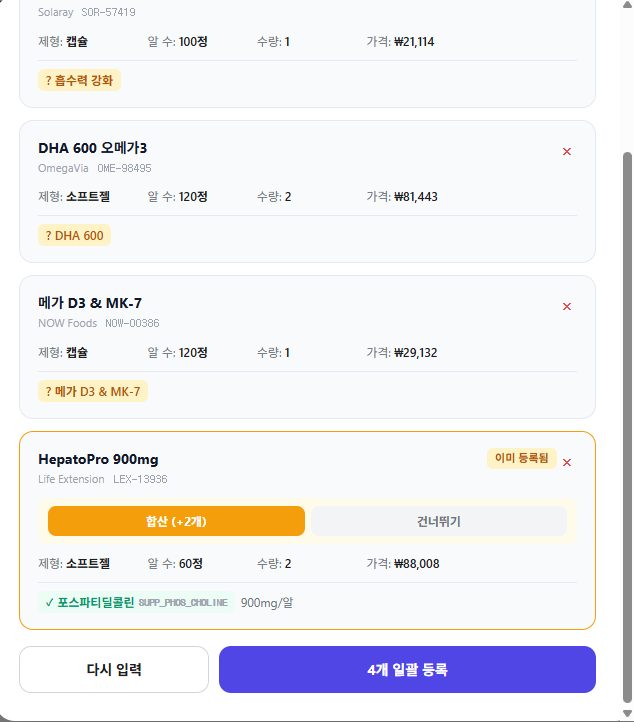
Click the bulk register button
Click "Register N items" at the bottom. Skipped items are excluded and the count is shown.
7
Done!
Registration complete. Purchase history is recorded automatically. You can set up your intake schedule next.